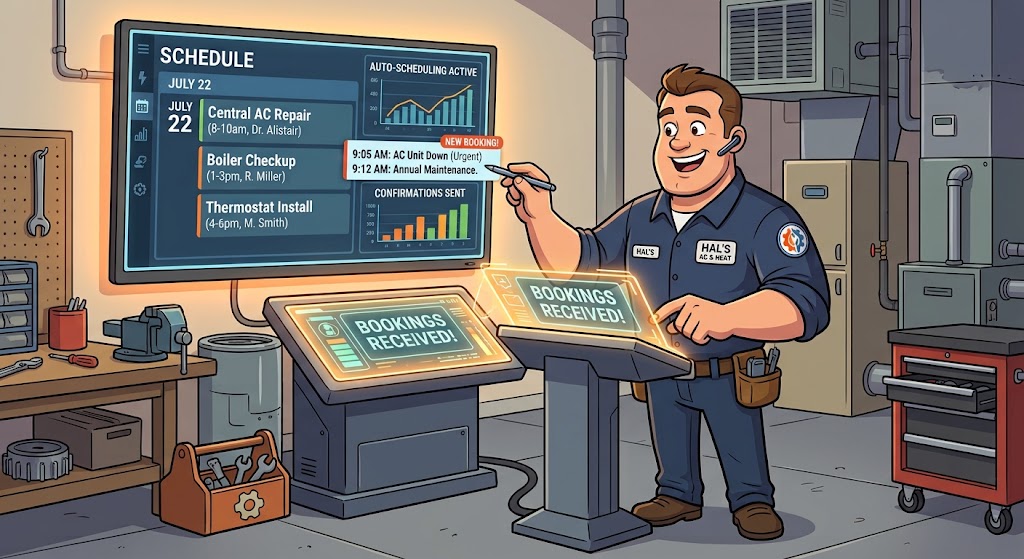
Build a GoHighLevel HVAC Appointment Booking Workflow for Emergency and Routine Calls
A gohighlevel HVAC appointment booking workflow should separate urgent system failures from routine service requests before offering an appointment. Instead of sending every homeowner to the same calendar, the workflow evaluates the problem, service area, equipment, property status, and urgency before routing the customer to emergency dispatch, standard repair, maintenance, or replacement consultation.
This guide shows you how to create that decision-based system while preserving a simple booking experience for homeowners. It is part of our GoHighLevel Niche Setup Guides for businesses that need niche-specific CRM and automation strategies.
An HVAC Booking Workflow Is Really a Dispatch Filter
An HVAC company cannot treat every appointment as interchangeable. A homeowner with no heat during freezing weather requires a different response from someone requesting a seasonal tune-up three weeks from now.
The purpose of the workflow is to determine which path the customer needs before displaying a calendar.
The four primary paths are:
- Urgent service: A time-sensitive loss of heating or cooling that needs rapid staff review.
- Standard repair: A system problem that requires diagnosis but does not indicate an immediate emergency.
- Routine maintenance: A tune-up, inspection, filter service, or membership visit.
- Replacement consultation: An estimate or comfort consultation for new equipment.
Each path should have its own questions, availability, notifications, and follow-up. That separation is what makes the workflow useful to both the customer and the dispatch team.

Safety warning: The funnel should never attempt to diagnose gas odors, smoke, carbon-monoxide alarms, electrical burning, or another potentially dangerous condition. Display clear instructions to leave the affected area and contact the appropriate emergency or utility service when necessary.
The Four-Lane HVAC Booking Model
Begin by defining the rules for each appointment lane. Do this before creating forms or calendars so that every customer-facing choice corresponds to an actual dispatch process.
| Booking Lane | Typical Customer Request | Calendar Strategy | Internal Response |
|---|---|---|---|
| Urgent service | No heat, no cooling, water near equipment, or complete system failure | Callback or controlled emergency availability | Immediate dispatcher notification |
| Standard repair | Weak airflow, unusual noise, short cycling, or uneven temperatures | Diagnostic service calendar | Create service opportunity and technician task |
| Routine maintenance | Seasonal tune-up, inspection, or membership visit | Direct online booking | Automatic confirmation and reminders |
| Replacement consultation | Old equipment, high bills, recurring repairs, or planned upgrade | Comfort-advisor calendar | Create sales opportunity and assign advisor |
This model prevents an urgent customer from taking a routine tune-up slot. It also prevents a maintenance customer from being routed into an expensive emergency dispatch process.
The visible options should use language homeowners understand. Terms such as “My system is not working,” “I need maintenance,” and “I want an estimate for new equipment” are clearer than internal trade terminology.
Begin With One Question, Not a Long Form
The first screen should ask what the customer needs. Do not begin with ten contact and equipment questions before showing that the company handles the requested service.
A simple first question can offer:
- My heating system is not working
- My air conditioning is not working
- My system works, but something seems wrong
- I want to schedule maintenance
- I need an estimate for replacement
- I need help with indoor air quality
- I am not sure which service I need
The answer determines the next group of questions. This progressive approach keeps the booking experience shorter and prevents customers from seeing fields that do not apply to them.
For example, someone requesting maintenance can proceed directly to equipment and calendar questions. Someone reporting no heat may first see safety guidance, location verification, and an urgent callback option.
Build an Urgency Check Without Pretending to Diagnose
The urgency check should identify situations requiring human attention. It should not claim to determine the cause of the equipment failure.
Useful questions include:
- Is the system completely off or still producing some heating or cooling?
- Is anyone in the property especially vulnerable to extreme temperatures?
- Is there smoke, a burning smell, a gas odor, or an active alarm?
- Is water actively leaking around the equipment?
- Is the property currently occupied?
- Is this a residential or commercial system?
- When did the problem begin?
If a safety answer is selected, stop the normal booking flow and display the appropriate emergency instructions. Do not bury those instructions beneath a calendar button.
If the situation is urgent but does not present an obvious safety warning, collect contact and address information before alerting the dispatcher. The customer can then receive a message explaining whether the company will call, confirm a time, or provide available emergency slots.
Create an HVAC workflow that routes requests automatically: GoHighLevel can connect your service pages, forms, calendars, CRM, internal notifications, email, and SMS. Start your GoHighLevel free trial.
Capture the Information Dispatch Actually Needs
Once the service path is known, collect the minimum information required to evaluate and schedule the request. The form should help dispatch without becoming a substitute for a technician’s inspection.
Customer and Property Information
- Customer name
- Mobile phone number
- Email address
- Service address
- Property type
- Owner, tenant, property manager, or authorized representative
- Preferred communication method
Equipment and Problem Information
- Heating, cooling, or combined system
- Equipment type when known
- Approximate system age
- Number of systems at the property
- Current symptoms
- Thermostat behavior
- Recent repair or maintenance history
- Photos when your intake process supports them
Make technical fields optional when homeowners may not know the answer. Forcing a customer to identify a heat pump, furnace stage, refrigerant type, or equipment capacity can cause unnecessary abandonment.
“I’m not sure” should be an acceptable answer. The technician can verify the equipment during the visit.
Verify the Service Area Before Showing Availability
HVAC companies often serve a defined set of cities, postal codes, or travel zones. Check the service address before allowing the customer to reserve a technician’s time.
Create a custom field or routing rule for:
- Primary service area: Standard availability and pricing rules
- Extended service area: Manual approval or adjusted travel policy
- Unsupported location: Honest notice that online booking is unavailable
Do not collect the entire intake form and then reveal that the property is outside your territory. Ask for the postal code or address early enough to prevent wasted effort.
For multi-location HVAC businesses, service-area routing can also determine which sub-account, calendar, dispatcher, or branch receives the request.

Give Each HVAC Service Its Own Scheduling Rules
A seasonal tune-up and a no-cooling diagnostic should not use identical appointment durations or staff assignments. Configure the calendar around the service rather than creating one general appointment type.
| Service | Suggested Booking Treatment | Key Scheduling Constraint |
|---|---|---|
| Heating diagnostic | Dedicated diagnostic calendar | Qualified heating technician and travel time |
| Cooling diagnostic | Dedicated diagnostic calendar | Seasonal demand and technician capacity |
| Seasonal tune-up | Direct online booking | Realistic maintenance duration |
| Indoor air quality consultation | Consultation calendar | Correct advisor or technician |
| Equipment replacement estimate | Comfort-advisor calendar | Longer appointment and decision-maker availability |
| Commercial HVAC request | Manual qualification or commercial calendar | Building access, equipment scale, and account terms |
| Emergency request | Dispatcher-controlled booking | On-call capacity and emergency-service policy |
HighLevel service calendars can connect individual services with assigned staff, availability, durations, forms, payments, and booking notifications. Your customer-facing calendar should expose only the services and times the company can realistically support.
Appointment status can also trigger separate automations when a booking is scheduled, confirmed, canceled, or marked as a no-show. HighLevel documents these options in its official Appointment Status workflow trigger guide.
Use Seasonal Capacity Modes
HVAC demand changes dramatically throughout the year. A calendar that works during mild weather may create operational problems during the first heat wave or cold snap.
Create at least three capacity modes:
Normal Capacity
Routine maintenance, diagnostics, consultations, and standard service remain available. Customers can access the full approved service menu.
Peak Demand
Diagnostic availability becomes more controlled, maintenance slots are reduced, and urgent requests receive priority review. Messaging should set realistic response expectations.
Limited or After-Hours Capacity
The workflow collects the request and determines whether to notify on-call staff, offer the next business-day appointment, or provide an emergency callback process.
Use tags, custom values, calendar settings, or workflow branches to change the customer experience without rebuilding the entire funnel. Update the visible response-time language when capacity changes.
Capacity warning: Never advertise “same-day service” throughout the funnel if same-day availability is not consistently available. Use wording that explains the company will confirm the earliest available appointment.
Create Two Different Confirmation Experiences
An HVAC booking can be either immediately confirmed or pending dispatch review. The confirmation page and messages must make that distinction obvious.
Confirmed Appointment
Show the service, date, arrival window, property address, and preparation instructions. Provide a rescheduling or cancellation option based on your policy.
Request Received and Pending
Explain that the request has been sent to dispatch and that a representative will confirm availability. Do not display language implying that a technician is already assigned.
The pending confirmation should answer:
- When the customer can expect a response
- Whether dispatch will call or text
- What to do if the situation becomes unsafe
- How to update the service request
- Whether an appointment time has been reserved
This approach protects customer trust. A homeowner dealing with extreme indoor temperatures needs accurate expectations, not an automated message that overpromises.
Design the Pipeline Around Dispatch Decisions
The opportunity pipeline should show what the office needs to do next. Avoid stages that merely duplicate the calendar status without providing operational meaning.
A useful HVAC pipeline may include:
- New Service Request: Information received but not reviewed
- Urgent Dispatch Review: Time-sensitive request requiring staff attention
- Awaiting Customer Contact: Dispatcher attempting to reach the homeowner
- Appointment Pending: Requested time requires approval
- Appointment Confirmed: Service time accepted
- Technician Dispatched: Technician assigned or traveling
- Diagnosis Completed: System evaluated
- Estimate or Authorization Pending: Waiting for customer decision
- Work Completed: Service finished
- Replacement Opportunity: Customer may need new equipment
- Canceled or No-Show: Appointment did not proceed
Use separate pipelines when service and replacement sales are managed by different teams. A technician’s recommendation can create or update a replacement opportunity without losing the original service history.
Build the Three Clocks of HVAC Follow-Up
Instead of sending every lead the same sequence, organize communication around three different clocks.
The Immediate Clock
This begins when the request is submitted. Confirm receipt, identify the company, explain the next step, and notify the right employee.
The Appointment Clock
This runs relative to the scheduled visit. It handles confirmation, reminders, rescheduling, cancellation, and arrival instructions.
The Service-Lifecycle Clock
This begins after the visit. It handles estimates, completed-work follow-up, maintenance reminders, membership renewal, and replacement opportunities.
Separating these clocks prevents contradictory messages. A customer should not receive an “Are you ready to book?” message after dispatch has already confirmed the appointment.

Automate booking without losing dispatch control: Use GoHighLevel to route HVAC inquiries, notify staff, schedule services, send reminders, and track opportunities in one connected system. Try GoHighLevel free.
What the Customer Should Receive Before the Visit
A confirmation email can contain more detail than an SMS reminder. Use it to reduce common questions and help the technician arrive prepared.
Include:
- Service requested
- Appointment date and arrival window
- Service address
- Company contact information
- Instructions for equipment access
- Pet and gate considerations
- Parking information when relevant
- Rescheduling and cancellation options
- Any diagnostic or service-call charge
- Payment methods accepted
Ask the homeowner to ensure that an authorized adult is available when required. For replacement consultations, note whether all property owners or decision-makers should attend.
Avoid asking the customer to perform technical troubleshooting unless the instructions are approved by your HVAC company and safe for an untrained homeowner.
Route Replacement Opportunities Without Pressuring the Customer
Some service calls reveal that equipment replacement may be worth considering. The workflow can organize the follow-up, but the technician or comfort advisor should provide the actual recommendation.
A replacement branch can begin when an employee applies a tag, updates a field, or moves the opportunity into a replacement stage.
The branch can:
- Create a replacement opportunity
- Assign a comfort advisor
- Offer the correct consultation calendar
- Send information about the consultation process
- Create an internal follow-up task
- Stop irrelevant repair-booking messages
Do not automatically declare that a customer needs new equipment based solely on system age or a form response. Equipment condition, repair history, comfort needs, efficiency goals, budget, and professional evaluation all matter.
Handle Abandoned HVAC Requests Differently
A homeowner who starts an urgent service request but does not finish may need faster follow-up than someone who abandons a maintenance booking.
Create two recovery branches:
Urgent Request Abandoned
Notify the dispatcher when sufficient contact information exists. Send a short message asking whether the customer still needs help and provide the company’s contact number.
Routine Booking Abandoned
Send the link back to the correct maintenance or consultation calendar. A short reminder the next day may be appropriate if the customer has not booked or opted out.
Both branches should end when the customer books, replies, is scheduled manually, or declines further communication.
The same status-sensitive approach applies to other service businesses. Our gohighlevel auto repair service booking funnel guide shows how vehicle intake, shop capacity, and appointment status can shape a different type of service-booking experience.
Use Deposits Only Where They Fit the Service
Some HVAC companies collect an after-hours service charge, diagnostic fee, or consultation deposit during booking. Others collect payment after dispatch confirms the appointment.
Before enabling online payment, disclose:
- What the charge covers
- Whether it is applied toward authorized work
- Whether it is refundable
- How cancellation affects the payment
- Whether additional diagnostic or repair charges may apply
Do not display a small service-call fee in a way that implies it covers the full repair. The funnel should separate booking or diagnostic charges from work that can be priced only after inspection.
Test approved payments, failed transactions, cancellations, refunds, and manually booked appointments before launching.
Test the Workflow Against HVAC Reality
A successful routine-maintenance booking is only one test. The workflow must also handle urgent conditions, unsupported addresses, seasonal capacity, and appointment changes.
Run these scenarios:
- A homeowner books a routine tune-up.
- A customer reports no cooling during peak demand.
- A customer reports a gas odor or active alarm.
- A tenant requests service without confirmed authorization.
- A commercial property submits a residential form.
- An address falls outside the service area.
- A replacement prospect selects a repair calendar.
- A customer abandons an urgent request.
- Dispatch manually confirms a pending appointment.
- A confirmed customer reschedules.
- A customer cancels before the first reminder.
- A completed repair becomes a replacement opportunity.
Check the customer message, assigned user, opportunity stage, calendar, internal alert, tags, and workflow history after every scenario. Correct the routing rule rather than manually fixing every affected contact.
Measure Whether the Workflow Helps Dispatch
Do not judge performance only by the number of appointments created. A useful workflow improves the quality and routing of those appointments.
Track:
- Requests by service type
- Urgent versus routine requests
- Percentage of addresses inside the service area
- Booking completion rate
- Requests requiring manual dispatch review
- Time from urgent submission to staff response
- Confirmed appointment rate
- Reschedule and cancellation rate
- No-show rate
- Completed service calls
- Service calls becoming replacement opportunities
- Bookings by traffic source
Review the numbers by season. A drop in booking rate during peak weather may indicate insufficient availability rather than a weak landing page.
A Better Way to Launch the HVAC Workflow
Start with one service area and four clear booking lanes. Avoid launching dozens of equipment-specific calendars before your dispatch rules have been tested.
The first version should include:
- Urgent service request
- Standard diagnostic appointment
- Routine maintenance booking
- Replacement consultation
Monitor the requests that employees reclassify manually. Those corrections reveal where the questions, routing rules, or service descriptions need improvement.
After the four lanes work reliably, add membership appointments, indoor air quality consultations, commercial routing, multi-location logic, seasonal capacity modes, and other advanced branches.
Build your HVAC scheduling system: GoHighLevel provides the forms, conditional workflows, calendars, CRM, email, SMS, and opportunity tools needed to create a responsive booking process. Start your GoHighLevel free trial today.
The Final Dispatch Check
Before publishing, ask whether the workflow always sends the customer to the safest and most operationally appropriate next step. Urgent requests should reach dispatch quickly, routine customers should be able to book without unnecessary friction, and replacement prospects should reach the correct advisor. When those paths remain separate but connected, a gohighlevel HVAC appointment booking workflow can reduce missed calls, prevent calendar misuse, improve response times, and give homeowners clearer expectations from the first request through completed service.