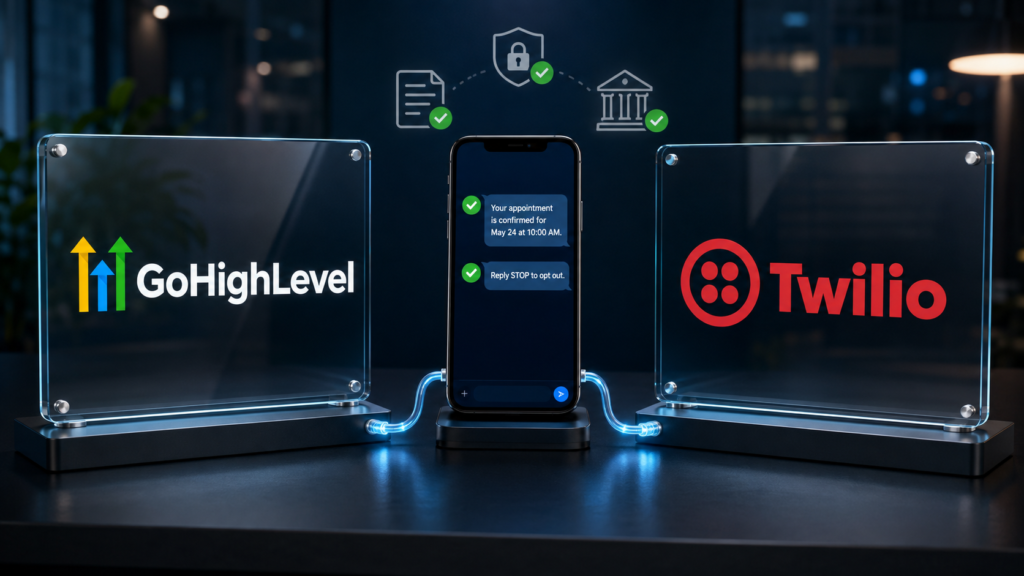
If you are trying to learn how to fix gohighlevel twilio A2P 10DLC registration, do not begin by rewriting every field or submitting a second application. First identify which layer failed. A Brand rejection concerns the identity of the business. A Campaign rejection concerns the messaging use case, consent path, website, policies, or sample messages. Error 30034 can appear after approval when the sending number is not linked to the approved campaign.
Rejected
Open the stated reason and correct every required fix before resubmitting.
Pending
Do not create duplicates merely because manual vetting is still underway.
Approved but blocked
Check campaign assignment, number type, sending behavior, and suspension status.
This article is part of the GoHighLevel troubleshooting guide. It focuses on U.S. business texting through applicable 10-digit local numbers. Toll-free verification follows a separate process.
Quick Answer: Find the Failed Layer First
In the affected sub-account, go to Settings → Phone System → Trust Center and open the A2P Brand and Campaign information. Locate the status and any rejection or required-fix message. HighLevel’s current workflow provides an explanation and correction instructions for many rejected Campaigns.
Use this sequence:
- Confirm whether the Brand, Campaign, or phone-number assignment is the actual failure.
- Copy the exact rejection code and all required fixes into a working note.
- Compare the legal business data, website, consent language, use case, and sample messages as one connected story.
- Edit and resubmit when the failed fields are editable.
- Create a new Campaign only when a locked field—such as the selected use case—must change, or when HighLevel directs you to do so.
- After approval, confirm the local number is assigned to the approved Campaign.
Do not treat rejection as a writing contest. More words will not fix conflicting information. Reviewers need a specific, verifiable explanation of who sends, who receives, what is sent, why it is sent, and exactly how consent is collected.
What A2P 10DLC Registration Is Checking
A2P means application-to-person messaging. A2P 10DLC registration identifies the business sending application-generated SMS or MMS through U.S. 10-digit long-code numbers and describes the messaging Campaign. The review is intended to reduce unwanted messaging, fraud, and use-case ambiguity.
Many HighLevel users still say “Twilio A2P” because Twilio terminology and infrastructure have long been part of the ecosystem. However, your troubleshooting path depends on whether the sub-account uses LC Phone or a directly connected Twilio account. Follow the controls and rejection information available in the phone provider actually attached to that location.
A2P registration has four connected evidence layers:
| Evidence layer | What must be consistent | Typical failure |
|---|---|---|
| Brand | Legal name, entity type, Tax ID, address, and contact data | Business identity cannot be verified |
| Campaign | Use case, description, samples, frequency, and message features | Description or samples do not match the selected use case |
| Consent | Opt-in form, disclosure, policies, and submitted message flow | Reviewer cannot reproduce or verify consent |
| Deployment | Approved Campaign, assigned number, and matching live traffic | Approved Campaign exists, but the number is not linked or traffic differs |
Step 1: Open Every Required Fix
Inside the Trust Center, find the rejected Campaign and open View required fixes when it is available. Record the error code, rejection category, explanation, and correction. A submission can contain more than one issue, so do not stop after correcting the first item.
HighLevel introduced more granular error codes in 2026. Older articles may describe only broad categories, while your account may now display a code tied specifically to website accessibility, consent, sample-message content, business identity, or use-case selection. Use the code shown in your account as the primary diagnosis.
Step 2: Repair Brand Information Without Guessing
A failed Brand is not fixed by changing the Campaign description. The legal identity must match authoritative business records. Compare the submission against the business’s IRS or government registration documents rather than copying a stylized name from a logo.
- Use the exact legal business name associated with the EIN or Tax ID.
- Select the entity type that reflects the registered business.
- Confirm that the Tax ID is complete and belongs to that legal entity.
- Use the business address and contact information that can be verified.
- Make sure the website identifies the same business and is publicly accessible.
- Avoid mixing the agency’s identity with the client business that will actually send the messages.
If a Campaign is already associated with incorrect Brand data, the necessary correction may go beyond an ordinary Campaign edit. Follow the specific required fix or contact HighLevel support before deleting registrations.
Step 3: Make the Website Pass a Human Review
A website can load successfully and still be inadequate for A2P vetting. The reviewer needs to identify the business, understand the offer, inspect how a person signs up for texts, and reach the relevant policies.
Website evidence checklist
- The submitted URL loads over HTTPS without a password or construction page.
- The legal or recognizable business identity is visible.
- Contact information is present and consistent with the registration.
- The SMS opt-in path is accessible to a reviewer.
- The Privacy Policy and Terms and Conditions links work.
- The Privacy Policy explains handling of mobile information appropriately.
- The call to action does not use a pre-checked consent box.
Do not submit a funnel editor preview, temporary share link, unrelated social profile, broken calendar, or home page that hides the opt-in form several steps deep without explaining the path. If consent occurs offline, describe that method precisely and provide the requested evidence.
Step 4: Rewrite the Opt-In Flow as Verifiable Evidence
“Customers opt in on our website” is usually too vague. State the page, the action, the disclosure, and what happens next. Your description should match the live experience.
A clear message-flow explanation might follow this pattern:
Visitors enter their name and mobile number on the appointment-request form at [full HTTPS URL]. They select an unchecked box agreeing to receive appointment confirmations and follow-up texts from [Business Name]. The disclosure states that message frequency varies, message and data rates may apply, consent is not a condition of purchase, and recipients can reply STOP to opt out or HELP for help. Links to the Privacy Policy and Terms are displayed beside the form.
Adapt that description to the real process. Do not claim an unchecked checkbox exists if the live form has none. Do not describe appointment reminders when the Campaign will send marketing promotions. Registration language and production traffic must tell the same story.
Step 5: Align the Use Case, Description, and Samples
The Campaign description should identify the sender, recipients, purpose, message categories, and consent source. Choose the accurate use case—not the option that appears to offer the best throughput.
HighLevel’s current error guidance distinguishes lead generation from lead nurture. Lead generation involves initial outreach intended to acquire leads; lead nurture concerns ongoing engagement with existing leads. Selecting one while describing the other can produce a rejection.
Build Two Realistic, Distinct Sample Messages
Sample messages should resemble messages the workflow will genuinely send. HighLevel’s 2026 guidance says samples should be distinct, align with the use case, identify the business in at least one sample, and include opt-out language in at least one sample. Use bracketed variables such as [First Name] where personalization will occur.
Stronger sample
“Hi [First Name], this is Maple Street Dental confirming your appointment on [Date] at [Time]. Reply C to confirm or call 555-555-0123 to reschedule. Reply STOP to opt out.”
Why it works: identifiable sender, clear purpose, realistic variables, response action, and opt-out instruction.
Weak sample
“Hello! We have an important update for you. Click here now.”
Why it fails: unknown sender, vague purpose, no relationship to a stated use case, and no meaningful compliance context.
Avoid public URL shorteners in samples. If a link is genuinely part of the use case, show the full branded HTTPS domain. Also make the Campaign’s selections for embedded links and phone numbers match what appears in the samples.
Common 2026 Rejection Codes and Corrections
The exact instructions shown inside your account take priority, but these examples illustrate how specific the review has become:
| Code | Likely issue | Correction |
|---|---|---|
| 30886 | Campaign description is unclear or mismatched | Explain the sender, recipient, purpose, consent source, and message types accurately. |
| 30893 | Samples are missing, unclear, or inconsistent | Provide distinct realistic messages aligned with the selected use case. |
| 30892 | Public shortener or insecure URL appears | Use a full direct HTTPS URL on the business domain. |
| 30911 | Repeated text or identical samples | Write unique content for each field and distinct samples. |
| 30916 | Lead generation and lead nurture conflict | Choose and describe the use case that matches the real message flow. |
| 30034 | The sending number is not associated with an approved Campaign | Assign the applicable local number to the approved Campaign in the phone system. |
Step 6: Decide Whether to Edit, Resubmit, or Start Again
For a correctable Campaign rejection, edit the existing submission when the interface permits it and then resubmit. Do not delete and recreate by default. Reusing the failed Campaign can preserve the registration history and avoid unnecessary duplication.
A new Campaign may be required when the selected use case itself must change or another locked field cannot be corrected during resubmission. A Brand-level correction can also require a different sequence because Campaigns are associated with that Brand. If the account does not allow the necessary change, use HighLevel support and provide the exact rejection code, location ID, Brand/Campaign details, and the corrected evidence.
Campaigns rejected for prohibited, disallowed, or high-risk content may not be eligible for normal remediation. Rewording prohibited activity does not make it compliant. Confirm that the business category and intended messages are permitted before investing in another submission.
Step 7: Fix Error 30034 After Approval
An approved Campaign does not automatically prove that every number is attached to it. If messages return error 30034, inspect the phone-number configuration and link the eligible U.S. local number to the approved A2P Campaign. Then confirm that the Campaign assignment has completed before retesting.
Do not apply this fix to a toll-free number. Toll-free SMS uses its own verification path and is not linked to an A2P 10DLC Campaign in the same way.
Pre-Resubmission Audit
- ☐ Every displayed required fix has been addressed.
- ☐ Legal name, entity type, Tax ID, address, and website identify the same business.
- ☐ The submitted website loads publicly over HTTPS.
- ☐ Privacy Policy and Terms links are visible and functional.
- ☐ The actual opt-in experience matches the message-flow description.
- ☐ SMS disclosure covers the actual message category and expected frequency.
- ☐ The selected use case, description, and sample messages agree.
- ☐ Samples are distinct, realistic, branded, and include opt-out language.
- ☐ Public URL shorteners and insecure links have been removed.
- ☐ Embedded-link and phone-number selections match the samples.
SMS Approval Does Not Fix Email Deliverability
A2P 10DLC governs applicable business texting; it does not authenticate your email-sending domain or improve inbox placement. If your workflows send both texts and emails, troubleshoot the channels independently. The preceding guide comparing gohighlevel LC email vs mailgun deliverability explains the separate authentication, reputation, and warmup considerations for email.
Try GoHighLevel for Compliant Follow-Up Workflows
Affiliate disclosure: Local Resource Hub may earn a commission if you purchase through this link, at no additional cost to you.
Keep Consent and Follow-Up in One System
Use GoHighLevel to connect lead-capture forms, consent records, conversations, appointments, and automated follow-up—then make sure every live workflow stays within the use case you registered.
Frequently Asked Questions About how to fix GoHighlevel Twilio A2P 10DLC Registration
Why was my GoHighLevel A2P registration rejected?
Common causes include unverifiable Brand information, a website that does not identify the sender, an incomplete or inaccessible opt-in flow, missing policy links, a vague Campaign description, mismatched use cases, unrealistic samples, or prohibited content. Open every required fix in the Trust Center before editing.
Can I resubmit a rejected A2P Campaign?
Many correctable Campaign rejections can be edited and resubmitted. Some fields may be locked, and prohibited or high-risk content can be ineligible for standard resubmission. Follow the correction instructions shown for the specific code.
Should I delete a rejected Campaign and start over?
Usually not. Edit and resubmit the existing Campaign when the failed fields are editable. A new Campaign may be necessary when the use case or another locked field must change, or when Brand corrections require a different registration sequence.
What should a GoHighLevel A2P sample message include?
Use a realistic message that matches the registered use case. Identify the business in at least one sample, include meaningful content and realistic variables, and show opt-out language in at least one sample. Samples should be distinct rather than copies of one another.
Why do I see error 30034 after my Campaign was approved?
Error 30034 commonly means the sending local number is not associated with an approved A2P Campaign. Check the number’s Campaign assignment in the phone system. Toll-free numbers use a separate verification process.
How long does A2P approval take?
Timing varies because submissions can undergo automated and manual third-party review. A Pending or In Review status does not necessarily indicate failure. Avoid duplicate applications while a legitimate review is still in progress.
Final Recovery Plan
The fastest reliable fix is usually the most precise one: identify the rejected layer, follow the exact required fix, and make the registration match the live business and consent experience. A consistent Brand, public website, reproducible opt-in path, accurate use case, and realistic samples give reviewers one coherent account of the messaging program.
After approval, link the correct local number and keep production messages within the registered use case. For other account setup problems, return to the GoHighLevel troubleshooting hub.
Technical Sources
- HighLevel Support: A2P Campaign Rejections, Required Fixes, and Vetting Errors
- HighLevel Support: A2P 10DLC Campaign Approval Best Practices
- HighLevel Support: A2P Campaign Registration Guide
- HighLevel Support: Link a Number to an Approved A2P Campaign
- Twilio Documentation: Troubleshooting and Rectifying A2P Campaigns