Local Resource Hub: Complete GoHighLevel Tutorials, Niche Snapshots & Technical Guides
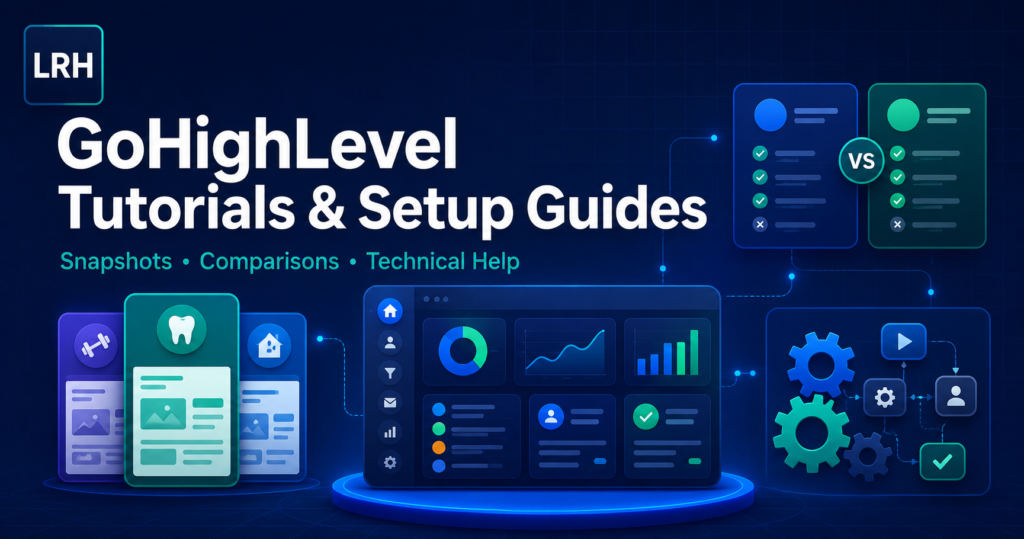
Local Resource Hub provides practical GoHighLevel tutorials for agencies, consultants, marketers, and local business owners who need to build working CRM systems—not just collect another stack of software features. Use this hub to choose the right setup for your industry, compare GoHighLevel with competing platforms, and solve technical problems involving domains, email, phone numbers, payments, tracking, permissions, workflows, and snapshots.
Start with the learning track that matches your current goal:
| Learning Track | Best For | What You Will Learn | Start Here |
|---|---|---|---|
| Niche-specific setup guides | Local businesses, niche agencies, and implementation consultants | How to configure pipelines, funnels, calendars, workflows, snapshots, and client journeys for a specific industry | Explore niche setup guides |
| Software comparisons | Agencies evaluating CRM, automation, funnel, course, and community platforms | Where GoHighLevel replaces other tools, where competitors remain stronger, and how pricing changes as your operation grows | Compare GoHighLevel platforms |
| Technical tutorials | Account administrators, implementers, and users troubleshooting active systems | How to configure domains, email, SMS compliance, payments, scripts, snapshots, rebilling, and user permissions | View technical tutorials |
Fastest route to a usable system: Choose a niche-specific architecture first, confirm that GoHighLevel fits your software stack second, and complete the technical configuration third. This sequence prevents teams from building workflows before they have defined the customer journey those workflows need to support.
Industry-Specific GoHighLevel Setup Guides
A generic CRM template rarely matches the way a real local business attracts leads, qualifies prospects, schedules appointments, delivers services, and requests reviews. A dental practice needs a different intake process than a roofing contractor. A mortgage broker must collect different information than a personal trainer. Even when two industries use the same GoHighLevel features, their pipelines, timing rules, compliance requirements, and follow-up messages can be substantially different.
Our GoHighLevel niche setup guides organize the platform around complete customer journeys. Each guide focuses on the practical relationship between forms, calendars, opportunities, workflows, conversations, and reporting. The objective is to help you build a system in which every automation supports a defined operational outcome.
GoHighLevel workflows by industry
| Industry | Primary Conversion Goal | Key Automated Workflow | Useful GoHighLevel Components |
|---|---|---|---|
| Real estate | Convert inquiries into consultations or property appointments | Lead qualification and long-term nurture | Forms, pipelines, calendars, SMS, email, and task automation |
| Dental practices | Turn prospective patients into confirmed appointments | Patient intake, confirmation, reminders, and reactivation | Surveys, calendars, workflows, custom fields, and reputation management |
| Medical spas | Book consultations while handling sensitive information carefully | Consultation follow-up and treatment reminders | Forms, permissions, calendars, conversations, and compliant integrations |
| Mortgage brokers | Move qualified borrowers toward application milestones | Document and status follow-up | Custom fields, pipelines, workflows, tasks, and notifications |
| Gyms | Convert trial offers into memberships | Trial registration, attendance follow-up, and membership conversion | Funnels, forms, calendars, payments, workflows, and memberships |
| Personal trainers | Enroll and retain coaching clients | Client onboarding and progress communication | Calendars, payments, client portals, courses, and automated reminders |
| Solar companies | Qualify property owners and schedule assessments | Lead-speed response and multi-step follow-up | Landing pages, surveys, pipelines, calling, SMS, and appointment booking |
| Roofing contractors | Generate inspections, estimates, and customer reviews | Estimate follow-up and post-job review requests | Opportunities, workflows, review links, SMS, email, and call tracking |
| Auto repair shops | Book services and increase repeat visits | Service reminders and missed-call follow-up | Calendars, forms, conversations, workflows, and contact segmentation |
| HVAC contractors | Schedule service calls and maintenance appointments | Rapid lead response and seasonal maintenance reminders | Calendars, pipelines, SMS, email, call tracking, and workflows |
Choose your niche-specific implementation guide
- gohighlevel for real estate agents tutorial — Build a lead-capture, qualification, appointment, and nurture system for buyers, sellers, investors, or referral partners.
- gohighlevel dental patient onboarding snapshot — Structure patient intake, appointment confirmations, reminders, follow-up, and reactivation campaigns.
- gohighlevel med spa HIPAA compliance setup — Review access controls, data-handling decisions, forms, permissions, and integrations before launching automated patient communication.
- gohighlevel mortgage broker snapshot customization — Adapt stages, fields, tasks, notifications, and follow-up sequences to a mortgage lead lifecycle.
- gohighlevel gym membership funnel setup — Create a trial-offer funnel that connects registration, appointment booking, follow-up, and membership conversion.
- gohighlevel personal trainer client portal setup — Organize coaching resources, appointments, billing, communication, and client access.
- gohighlevel solar lead generation workflow — Build a fast-response system for qualifying property owners and scheduling solar consultations.
- gohighlevel roofing contractor review automation — Trigger review requests after completed projects while routing customer feedback appropriately.
- gohighlevel auto repair service booking funnel — Capture service details, schedule appointments, and automate confirmations and maintenance reminders.
- gohighlevel HVAC appointment booking workflow — Connect service requests, calendars, dispatch notifications, estimates, and seasonal follow-up.
Snapshot strategy: Treat a snapshot as a deployable starting point, not a finished business system. After importing one, verify custom values, sending domains, phone numbers, calendars, assigned users, workflow triggers, payment products, pipeline stages, and compliance language before activating automation.
GoHighLevel Software Comparisons & Platform Alternatives
GoHighLevel can consolidate CRM, email automation, SMS, calling, funnels, websites, appointment scheduling, payments, courses, communities, reputation management, and client reporting. That does not automatically make it the best replacement for every specialist platform. The right decision depends on which capabilities are essential, how many client accounts you manage, how much customization you need, and whether consolidation is more valuable than best-in-class depth.
Our GoHighLevel software comparisons examine real use cases instead of comparing feature-list checkmarks. Use them to identify migration tradeoffs, hidden integration requirements, operational costs, and the situations in which running two connected platforms may be better than forcing everything into one system.
GoHighLevel versus common platform categories
| Platform or Category | Common Strength | GoHighLevel Advantage | Decision Question |
|---|---|---|---|
| ActiveCampaign | Detailed email marketing automation | Broader CRM, SMS, calling, funnel, calendar, and agency-account toolset | Do you need advanced email automation alone or a wider client acquisition system? |
| HubSpot | Mature CRM ecosystem and broad sales and marketing tooling | Agency-oriented account management and consolidated functionality at a different pricing structure | Which required features are included at the plan level you can realistically maintain? |
| ClickFunnels | Sales funnel creation and offer presentation | Native connection between funnels, CRM records, conversations, calendars, and pipelines | Is your priority funnel optimization or complete lead-to-client management? |
| Kajabi | Polished course, content, and creator-business experience | Local lead management, appointment booking, pipelines, and multi-channel follow-up | Is education delivery or service-business automation the center of your model? |
| Podia | Simple digital products, courses, and community features | More extensive CRM and marketing automation across multiple channels | Do you value simplicity more than workflow depth and customization? |
| Zapier or Make | Connecting large numbers of external applications | Native automation can reduce external tasks, failure points, and per-operation costs | Can the workflow remain inside GoHighLevel, or must it coordinate several external systems? |
| Keap | Small-business CRM, automation, and commerce | Agency sub-accounts, funnels, reputation tools, calling, and broader white-label options | Which platform better matches your onboarding and account-management model? |
| Skool | Focused community engagement and simple group experience | Community access connected to funnels, CRM, payments, and marketing workflows | Do you need a focused community product or a community inside a larger marketing stack? |
| WordPress and Elementor | Flexible content management, publishing, design, and plugin ecosystem | Faster native connection between pages, forms, calendars, contacts, and workflows | Is the website primarily a content property or a conversion layer for automated campaigns? |
Read the detailed GoHighLevel comparisons
- gohighlevel vs activecampaign for automation — Compare email automation depth with GoHighLevel’s broader CRM and multi-channel workflow system.
- gohighlevel vs hubspot for small agency pricing — Examine plan structure, agency use cases, account growth, and the features that can change your real monthly cost.
- gohighlevel vs clickfunnels 2.0 course hosting — Compare funnel building, customer journeys, course delivery, CRM integration, and sales automation.
- gohighlevel vs kajabi for course creators — Evaluate content delivery, checkout, email, communities, client management, and marketing automation.
- gohighlevel vs podia community building — Determine whether simple community management or deeper automation should drive your platform choice.
- gohighlevel workflows vs zapier pricing — Compare native automation with task-based integration costs and external workflow dependencies.
- gohighlevel native triggers vs make integration — Learn when native triggers are sufficient and when complex multi-application scenarios justify Make.
- gohighlevel vs keap for client CRM onboarding — Compare contact migration, pipeline design, communication, automation, and ongoing account administration.
- gohighlevel communities vs skool platform — Compare community engagement, access management, payments, courses, and CRM-connected follow-up.
- gohighlevel site builder vs wordpress elementor — Decide between native marketing integration and WordPress publishing flexibility.
Before migrating: Inventory your active contacts, custom fields, tags, forms, automations, email templates, domains, payment products, course content, integrations, and reporting requirements. A platform can appear less expensive until migration labor, missing features, and third-party connections are included.
GoHighLevel Technical Setup & Troubleshooting Tutorials
A GoHighLevel account can look complete while critical infrastructure is still misconfigured. A landing page may load even though domain records are incomplete. Workflows may appear active while messages fail because sending services, phone registration, consent records, or trigger conditions have not been configured correctly. Payment pages can work in a test account but fail when products, currencies, or sub-account connections differ in production.
Our GoHighLevel technical tutorials focus on the settings that determine whether the system works reliably after launch. Each tutorial breaks configuration into testable steps so you can isolate problems instead of changing multiple settings at once.
Common GoHighLevel issues and fix matrix
| Technical Issue | Likely Area to Check | Recommended Verification | Desired Result |
|---|---|---|---|
| Custom domain does not connect | DNS records, conflicting records, propagation, and page assignment | Confirm the required record type, host, target, SSL status, and connected asset | The intended funnel, website, or client portal loads securely on the correct domain |
| Email delivery is weak | Sending domain, SPF, DKIM, DMARC, list quality, and sender reputation | Authenticate the domain and test placement using controlled inboxes | Messages authenticate correctly and delivery problems can be measured |
| SMS messages fail or remain restricted | A2P 10DLC registration, business information, campaign use case, and consent language | Compare registration details with the website, opt-in process, and sample messages | The approved messaging use case matches actual outbound communication |
| Stripe payment option is unavailable | Sub-account connection, product setup, currency, mode, and page configuration | Confirm the correct Stripe account and run a controlled transaction test | Payments are processed by the intended account and recorded against the correct contact |
| PayPal does not appear in a funnel | Integration status, supported checkout element, product, and funnel settings | Verify both the account connection and the specific checkout configuration | Qualified buyers can select PayPal on the intended order page |
| Phone or email usage is not rebilled | Agency settings, wallet configuration, markup, SaaS plan, and sub-account permissions | Review the complete billing path before enabling charges | Usage is tracked and billed according to the documented client agreement |
| Custom button styling fails | CSS selector, page-specific classes, inherited styling, and code placement | Inspect the live element and test narrowly scoped CSS | The target button changes without affecting unrelated forms or pages |
| Analytics tags do not fire | Script placement, container ID, publishing status, consent settings, and duplicate tags | Use preview and debugging tools on the published page | Each intended event fires once and sends data to the correct property |
| Imported snapshot behaves incorrectly | Custom values, users, calendars, phone numbers, domains, triggers, and integrations | Complete a post-import checklist before publishing workflows | Every imported asset points to valid resources inside the destination account |
| A user sees too much or too little | Role, assigned data, feature access, account type, and permission settings | Test access from a non-admin user profile | Each user can perform required tasks without unnecessary account access |
Follow the technical configuration tutorials
- how to connect custom domain in gohighlevel — Configure DNS, connect the correct asset, verify SSL, and troubleshoot common record conflicts.
- gohighlevel LC email vs mailgun deliverability — Compare sending options, authentication responsibilities, account structure, and deliverability considerations.
- how to fix gohighlevel twilio A2P 10DLC registration — Review business details, campaign descriptions, consent language, opt-in evidence, and messaging examples.
- gohighlevel stripe sub account integration setup — Connect the correct payment account and validate products, order forms, transactions, and account ownership.
- how to connect paypal to gohighlevel funnel — Configure the integration and verify PayPal availability in the appropriate checkout flow.
- how to set up phone and email rebilling in gohighlevel — Establish usage billing, markup, wallet behavior, client expectations, and pre-launch checks.
- gohighlevel custom css codes for survey buttons — Apply targeted styling without unintentionally changing unrelated forms or page components.
- how to add custom google tag manager script to gohighlevel — Install, publish, test, and debug tracking scripts across GoHighLevel pages.
- how to build and transfer custom gohighlevel snapshots — Package reusable assets, transfer them safely, and complete destination-account configuration.
- gohighlevel sub account user permission setup — Assign practical user access while protecting administrative, billing, and client data.
Troubleshooting rule: Test one layer at a time. Confirm the connection, inspect the triggering event, check the contact record, review workflow history, verify the outbound service, and then inspect the destination. Changing several settings simultaneously makes the actual failure harder to identify.
Why Use GoHighLevel for Your Agency or Local Business?
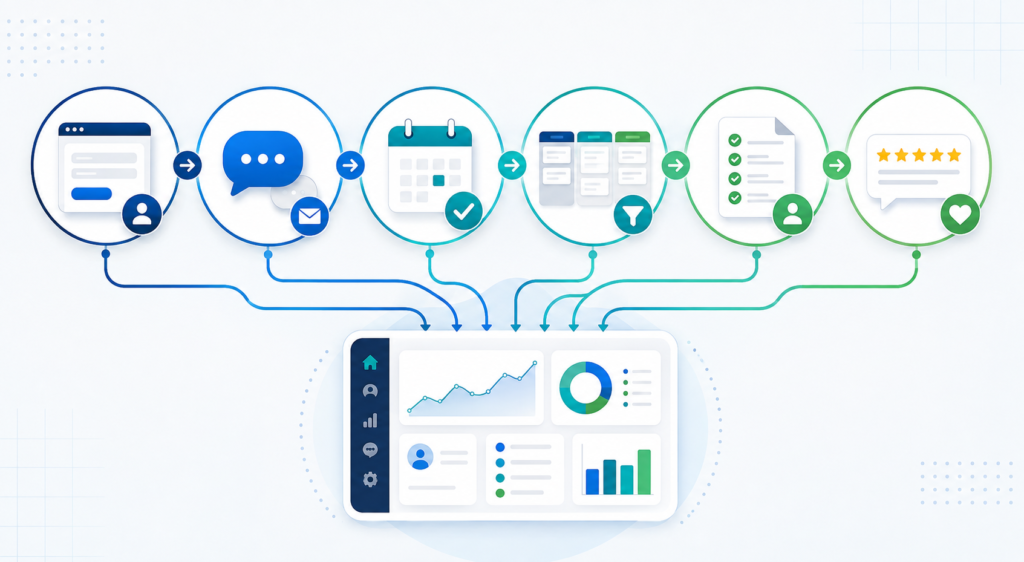
GoHighLevel is most valuable when its tools operate as one coordinated system. A lead can submit a form, enter a pipeline, receive an immediate response, book an appointment, trigger internal tasks, complete payment, access client resources, and receive a review request without staff repeatedly copying information between disconnected applications.
The platform’s practical value depends on configuration quality. Buying access does not create a functioning customer journey. The benefit appears when your funnels, data fields, calendars, pipelines, workflows, conversations, permissions, and reporting rules share a consistent structure.
Core value for local businesses
- Faster lead response: New inquiries can receive immediate confirmation while staff members are notified to take action.
- Centralized conversations: Email, SMS, calls, social messages, and contact activity can be associated with one customer record where supported and configured.
- Consistent follow-up: Workflows reduce the number of leads lost because a manual callback or email was forgotten.
- Appointment automation: Calendars, reminders, confirmations, and rescheduling options can reduce administrative work and missed appointments.
- Pipeline visibility: Teams can see where opportunities are stalled and which leads require human intervention.
- Reputation management: Review requests can be connected to completed services and customer follow-up processes.
- Reactivation opportunities: Existing contacts can be segmented for maintenance reminders, renewal campaigns, seasonal services, or new offers.
Core value for agencies
- Repeatable deployments: Snapshots allow agencies to package reusable funnels, workflows, pipelines, forms, and templates.
- Separate client environments: Sub-accounts help agencies organize assets, users, settings, and customer data by client.
- Standardized onboarding: Defined setup checklists reduce missed integrations and inconsistent account configurations.
- Service consolidation: Agencies can provide CRM, automation, funnels, calendars, messaging, and reporting from a more unified environment.
- Operational leverage: Reusable systems reduce the amount of work required to launch similar solutions for clients in the same niche.
- Recurring service opportunities: Agencies can support optimization, maintenance, reporting, campaign management, and technical administration after launch.
Where the efficiency comes from
| Business Stage | Manual Process | GoHighLevel System | Human Role After Automation |
|---|---|---|---|
| Lead capture | Copy inquiries from forms or inboxes into a spreadsheet | Create or update a contact and opportunity automatically | Review qualification details and prioritize high-value leads |
| Initial response | Send individual confirmation messages | Trigger immediate SMS or email based on consent and lead source | Continue the conversation when the lead responds |
| Appointment booking | Exchange messages to find an available time | Offer an availability-based calendar with reminders | Prepare for and conduct the appointment |
| Sales follow-up | Remember which prospects need another call | Use pipeline stages, tasks, and timed workflows | Handle objections and make judgment-based decisions |
| Client onboarding | Send the same instructions and forms manually | Trigger forms, welcome messages, tasks, and access instructions | Resolve exceptions and deliver personalized support |
| Retention and reviews | Remember to contact customers after service | Schedule follow-up, review requests, and reactivation campaigns | Respond to feedback and strengthen customer relationships |
Automation should support human service—not hide from it. Use workflows for predictable actions such as confirmations, reminders, assignments, and status updates. Keep staff involved when a decision requires judgment, empathy, negotiation, compliance review, or personalized advice.
A practical GoHighLevel implementation sequence
- Map the customer journey. Document how a prospect becomes a lead, appointment, customer, repeat customer, and referral source.
- Define the data structure. Establish fields, tags, pipeline stages, lead sources, opportunity values, and naming conventions.
- Connect essential infrastructure. Configure domains, sending services, phone numbers, calendars, payment providers, and user accounts.
- Build the conversion assets. Create forms, surveys, landing pages, funnels, calendars, and offer pages.
- Develop workflows in stages. Begin with high-value processes such as lead acknowledgment, appointment reminders, and internal notifications.
- Test every branch. Use test contacts to verify triggers, waiting steps, conditions, assignments, messages, and stop rules.
- Train users by role. Show each person how to complete their actual tasks instead of giving every user a tour of the entire platform.
- Measure and improve. Monitor response time, booking rate, show rate, conversion rate, workflow errors, and customer feedback.
Getting Started with Free GoHighLevel Snapshots & Resources
The fastest way to get value from GoHighLevel is to begin with one clearly defined business process. Do not attempt to automate an entire company in the first build. Choose a measurable outcome—such as responding to new leads, booking consultations, reducing no-shows, onboarding clients, requesting reviews, or reactivating past customers—and build the smallest complete system that supports it.
Local Resource Hub is designed to help you move from platform research to implementation. Use our niche guides to plan the customer journey, our comparison guides to make an informed software decision, and our technical tutorials to configure the infrastructure behind your campaigns.
Choose your next step
- Building for a specific local market? Visit the GoHighLevel niche setup hub to find workflows, snapshots, funnels, and implementation plans organized by industry.
- Deciding whether to migrate? Review the GoHighLevel comparisons hub before replacing your CRM, automation, funnel, course, community, or integration tools.
- Fixing an active account? Use the GoHighLevel technical tutorial hub to troubleshoot configuration, delivery, payment, tracking, snapshot, and permission issues.
Before activating any downloaded snapshot: Replace placeholder content, confirm all custom values, connect your own domains and communication services, review consent language, assign the correct calendars and users, disable workflows that are not ready, and submit test records through every entry point.
Start building your GoHighLevel system
If you are ready to test GoHighLevel for your agency or local business, review the available plan and trial details before opening your account. Then return to this hub for niche setup instructions, software comparisons, snapshot guidance, and technical configuration tutorials.
Start your GoHighLevel trial and explore the platform