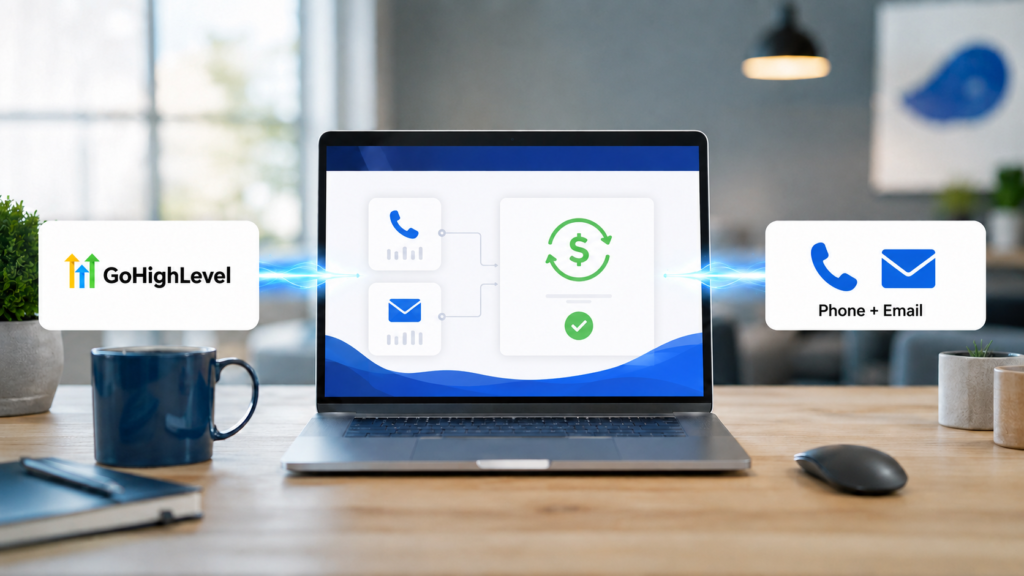
 
Do not treat the markup slider as the whole setup. Your agency still pays HighLevel first through the Agency Wallet. Rebilling then recovers eligible usage from the client. If the client card, sub-account wallet, or recharge settings fail, your agency can continue carrying the underlying cost.
This tutorial is part of the GoHighLevel troubleshooting hub. It uses a billing-pipeline audit: rather than merely listing buttons to click, it follows one phone charge and one email charge from service usage through both wallets and into the agency’s payment account.

How GoHighLevel phone and email rebilling works
Rebilling is a recovery mechanism for usage-based services. When a location sends a text, makes a call, buys or uses a phone number, or sends through LC Email, HighLevel deducts the applicable cost from the agency’s wallet. If rebilling is enabled, the platform separately charges the sub-account wallet at the configured eligible rate. The client wallet is replenished from the client’s saved payment method, while collected client funds are paid to the agency through its connected payment setup.
A location sends email or uses phone, SMS, or number services.
The underlying HighLevel cost is deducted from the Agency Wallet.
The eligible cost plus permitted markup is deducted from the sub-account wallet.
The client’s payment method replenishes its wallet and the agency receives collected funds.
This is different from taking payment on a sales page. The preceding tutorial on how to connect PayPal to GoHighLevel funnel covers a customer buying a product at checkout. Communications rebilling concerns ongoing metered usage inside a client location. Do not connect a sub-account checkout provider and assume it also funds agency-level rebilling.
Rebilling, reselling, and wallet funding are not synonyms
- Rebilling passes eligible usage-based costs to the location, at cost or with a permitted markup.
- Reselling usually packages a service or subscription at an agency-defined price.
- Agency Wallet pays the platform-side usage charges generated by locations.
- Sub-account Wallet holds prepaid client credits used for rebilled services.
Keeping those ledgers separate is essential for reconciliation. A healthy sub-account wallet does not guarantee the Agency Wallet has funds, and a funded Agency Wallet does not prove the client’s card can recharge its location wallet.
Rebilling preflight: verify six dependencies
Before enabling any markup, document these items for the target location:
- Eligible agency plan: supported rebilling is available on qualifying Unlimited and Pro configurations, but markup flexibility and product requirements can differ.
- Correct communications providers: identify whether the location uses LC Phone, agency Twilio, LC Email, Mailgun, or another SMTP provider. The rebilling rules are not interchangeable.
- Agency payment collection: confirm the supported agency-level provider is connected for client billing. This is separate from a Stripe or PayPal connection used by the location’s funnels.
- Client payment method: the sub-account needs a valid card or supported payment method for wallet replenishment.
- Wallet thresholds: verify minimum balance and recharge amount. A tiny recharge amount can create repeated transactions; an oversized amount can surprise a new client.
- Written pricing disclosure: state what is metered, the markup or pass-through policy, refill behavior, taxes, refunds, and what happens when a card fails.
Current pricing caveat: carrier charges and A2P 10DLC compliance fees may pass through without your selected agency markup. Do not forecast margin by multiplying every phone-related line item. Reconcile eligible usage and pass-through fees separately.
How to enable phone rebilling in GoHighLevel
Step 1: Open Core Services in Agency View
Switch to Agency View and open:
Reselling → Core Services → Phone System
Interface labels can vary slightly by account rollout. In older screens, equivalent controls may appear while managing a client, configuring SaaS, or under phone rebilling settings. What matters is that you edit the intended sub-account from the agency side rather than its ordinary phone-number screen.
Step 2: Select the correct location and enable rebilling
Locate the client sub-account and confirm its business name and location ID. Turn on Phone System rebilling. If the account uses a SaaS plan, inspect whether the plan already supplies a value; changing a location setting without checking the plan can lead to inconsistent pricing for future accounts.
Step 3: Set the permitted phone markup
Choose the displayed multiplier or markup. Expand the rate details before saving so you can distinguish eligible call, SMS, MMS, and number usage from taxes, carrier fees, regulatory charges, or A2P items that may not receive the same markup.
Use a price that matches the client agreement, not the largest setting the interface allows. A multiplier applies to usage, so a client’s bill changes with activity. Give clients access to their usage view and explain that buying phone numbers, long calls, international traffic, and messaging volume can alter wallet consumption.
Step 4: Confirm the phone provider
Phone rebilling on an Unlimited-plan location is commonly tied to LC Phone. A location using its own independent Twilio relationship may require a different configuration and should not be assumed eligible simply because the toggle is visible. Confirm the provider and number ownership before launch or migration.
How to enable email rebilling in GoHighLevel
Step 1: Open the Email service
From the same Agency View area, open the Email service for the target location:
Reselling → Core Services → Email
Enable email rebilling and review the displayed rate breakdown. If your account still exposes the older client-management screen, look for Email Resell Settings while managing the sub-account.
Step 2: Match the setting to the sending provider
On the Unlimited plan, email rebilling is limited to LeadConnector SMTP/LC Email with a fixed 1.05x markup according to current HighLevel guidance. Pro-plan configurations can provide broader markup controls. If a location uses Mailgun or a custom SMTP provider, verify its eligibility rather than applying LC Email instructions blindly.
Enabling LC Email rebilling can also prevent a sub-account user from changing its SMTP provider. That restriction protects billing alignment, but it may surprise a client who expects to add another provider. Document the decision and confirm deliverability settings before locking in the billing path.
Step 3: Verify the client payment method and wallet
Email rebilling requires the sub-account to have a valid payment method. Open the client billing or Company Billing area, confirm the wallet is active, and set sensible refill rules. Some usage entries can take time to appear, so a test email may not produce an instant finalized line item.
Choose wallet settings that clients can understand
| Control | What it changes | Audit question |
|---|---|---|
| Minimum balance | The point that triggers a refill | Will ordinary daily usage fall below it too often? |
| Recharge amount | The amount charged to restore credits | Is it proportionate to the client’s normal volume? |
| Complimentary credits | Agency-funded promotional or included usage | Are expiration, recurring status, and overage terms clear? |
| Phone markup | Eligible phone usage charged above agency cost | Which carrier and compliance fees are excluded? |
| Email markup | Eligible email usage charged to the location | Does the agency plan and SMTP provider support this rate? |
Run a controlled phone-and-email rebilling test
A test should prove two different things: the communications service works and the money reaches the correct ledgers. Record starting wallet balances before generating usage.
- Capture the baseline. Record the Agency Wallet balance, sub-account wallet balance, payment method status, markup settings, and timestamp.
- Create phone usage. Send a controlled SMS and complete a brief call using the target location. Avoid unnecessary production outreach.
- Create email usage. Send a small legitimate LC Email test to an address you control. Do not use a large broadcast simply to force a visible charge.
- Wait for posting. Usage and wallet entries may not finalize immediately; HighLevel notes that some charges can appear after a delay.
- Compare both ledgers. Confirm the agency cost and location debit correspond to the correct service and permitted markup.
- Test a recharge safely. If appropriate, use a low controlled threshold to verify the client payment method replenishes the wallet, then restore the intended production settings.
- Inspect reports. Use the agency rebilling dashboard and exports to verify cost, revenue, and profit rather than relying only on Stripe deposits.
Evidence to retain
Save the location ID, service provider, test time, usage identifiers, before-and-after wallet balances, agency cost, client charge, markup rule, recharge result, and report export. Do not store full card details or provider secrets.
Troubleshoot rebilling by the broken stage
| Symptom | Likely stage | First checks |
|---|---|---|
| Rebilling toggle is missing | Plan, role, or navigation | Agency plan, agency-user permissions, new Reselling → Core Services screen, provider eligibility |
| Agency pays but client is not charged | Location rebilling | Correct location, enabled service, client payment method, sub-account wallet, SaaS status, posting delay |
| Client wallet will not recharge | Payment collection | Expired or declined card, authentication, minimum threshold, recharge amount, retry status |
| Email provider cannot be changed | Email reselling lock | Whether Email Resell Settings is enabled; disable only after planning the billing/provider change |
| Markup profit is lower than expected | Rate classification | Carrier and A2P pass-through fees, taxes, eligible usage, refund activity, processor fees |
| Usage works but no line item appears | Posting or reporting | Date range, location filter, service filter, report delay, actual provider used, test completion status |
| Agency Wallet reaches zero | Agency funding | Agency card, auto-recharge rules, failed charges, unexpected high-volume location, alerting |
Monthly rebilling controls that prevent margin leaks
- Export usage and rebilling transactions, then reconcile costs, client charges, refunds, and processor deposits.
- Review failed wallet recharges before clients accumulate additional agency-funded usage.
- Filter high-volume locations and investigate sudden changes in calls, messages, phone numbers, or email volume.
- Compare the current UI settings with the signed client pricing schedule.
- Separate markup-eligible usage from carrier, regulatory, A2P, tax, and processing costs.
- Check complimentary credits and remove obsolete promotions.
- Give clients a readable usage statement and a billing contact path.
Want client communications and usage billing in one system?
GoHighLevel combines phone, email, CRM automation, client wallets, and agency rebilling controls. Test the workflow with controlled usage before applying it to production clients.
Affiliate disclosure: If you sign up through this link, Local Resource Hub may earn a commission at no additional cost to you.
Frequently asked questions about how to set up phone and email rebilling in GoHighLevel
Do I need SaaS Mode to rebill phone and email usage?
Rebilling availability depends on the agency plan, service, provider, and account configuration. Current HighLevel guidance supports certain at-cost rebilling on Unlimited and broader markup behavior on Pro, while SaaS configurations add automated client billing controls. Verify the rate breakdown shown in your own account before promising a markup.
Does the agency pay HighLevel before the client is charged?
Yes. Eligible service usage is charged against the Agency Wallet first. Rebilling then debits the client’s sub-account wallet under the agency’s configured rules. This is why agencies must monitor both wallets and client recharge failures.
Can I add markup to A2P 10DLC and carrier fees?
Current HighLevel guidance says carrier and A2P 10DLC charges are passed through without the agency rebilling markup. Review the current rate details because not every phone-related charge produces margin.
Can Unlimited-plan agencies rebill LC Email?
Yes, current guidance permits LC Email rebilling on the Unlimited plan, but it is tied to LeadConnector SMTP and a fixed 1.05x markup. Pro configurations can offer additional markup flexibility.
Why does HighLevel tell the client to contact the agency to change email settings?
Email rebilling can lock the location’s SMTP selection so billing remains aligned with the configured provider. An agency administrator can disable Email Resell Settings for that location, but should first plan how email delivery and billing will work afterward.
Where can a client see wallet usage?
The sub-account wallet is generally available under Settings → Company Billing. Phone-specific usage may also appear in the phone-number usage summary. Exact navigation can vary with permissions and interface updates.
Can I configure many sub-accounts at once?
Yes. HighLevel provides bulk rebilling controls from the Agency View sub-account list. Select the intended locations, choose the rebilling-services bulk action, apply a global or service-specific markup, and review Bulk Action History afterward.
Finish by reconciling both sides of the transaction
A reliable GoHighLevel phone and email rebilling setup has four verified outcomes: communications work, the Agency Wallet records the platform cost, the correct location wallet records the eligible client charge, and the client payment method replenishes that wallet under disclosed rules. Test those outcomes independently and review them monthly; a saved toggle alone is not proof that the agency is recovering its costs.
For help with other account, communications, payment, and integration problems, return to the GoHighLevel troubleshooting guide.